Best YouTube Transcript Generators in 2026 (Top Picks)
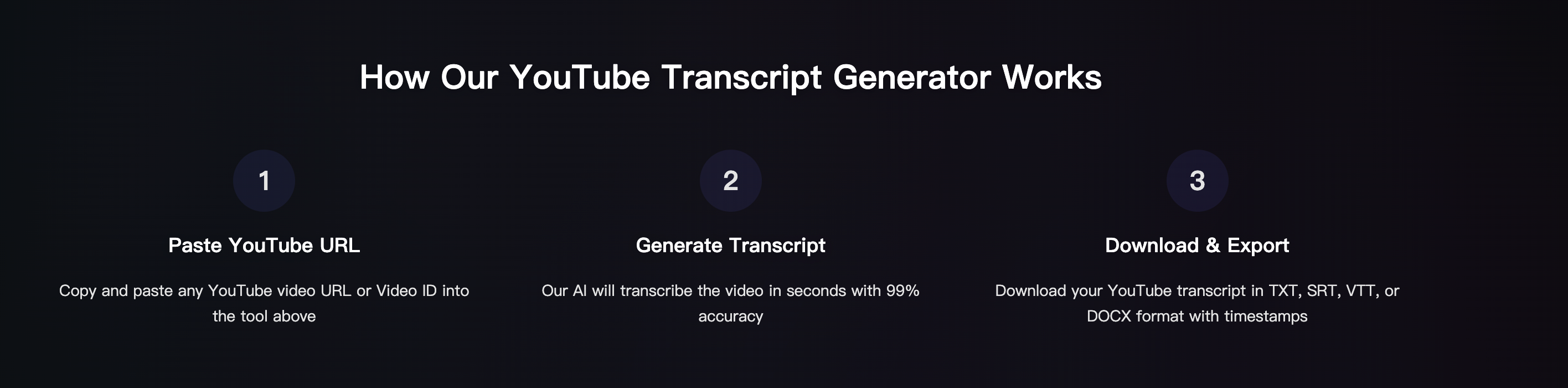
A YouTube transcript generator helps you turn a video into searchable text—so you can create captions, write blog posts, pull quotes, or translate subtitles. In 2026, the best tools aren't just "accurate"—they also need fast workflow, clean exports (TXT/SRT/VTT), and practical features like timestamps and speaker labels.
This guide lists the best YouTube transcript generators in 2026, grouped by real use cases: "paste a link," "best for captions," "best for editing," "best for privacy," and "best for teams."
Quick answer: the best picks (by use case)
If you want the fastest choice, start here:
| Use Case | Best Pick | Why |
|---|---|---|
| Paste a link + export SRT/VTT/TXT | Harku | Simple workflow, clean exports, timestamps |
| Free built-in option | YouTube's own transcript | Works when captions already exist |
| Transcript-driven video editing | Descript-style tools | Edit video by editing text |
| Team meetings & voice notes | Otter-style tools | Strong organization and search |
| Privacy / local processing | Local Whisper workflow | Full offline control |
Tip: If your goal is subtitles, prioritize SRT/VTT export. If your goal is content reuse (blogs/notes), prioritize clean TXT.
What makes a YouTube transcript generator "best" in 2026?
Here's a simple checklist to evaluate any tool:
- Accuracy on real audio — Background noise, accents, fast speech, music—YouTube audio varies a lot.
- Speed + stability — Link-based workflows should be reliable. Long videos should not time out easily.
- Exports that don't create extra work — Look for TXT (clean paragraphs), SRT (most universal subtitles), and VTT (web captions).
- Timestamps and speaker labels — Timestamps make a transcript useful. Speaker labels help with interviews and podcasts.
- Language support + translation workflow — If your audience is global, bilingual captions matter.
- Privacy + deletion controls — You should be able to delete processed files and control retention when needed.
Best YouTube transcript generator for "paste a link" workflows: Harku
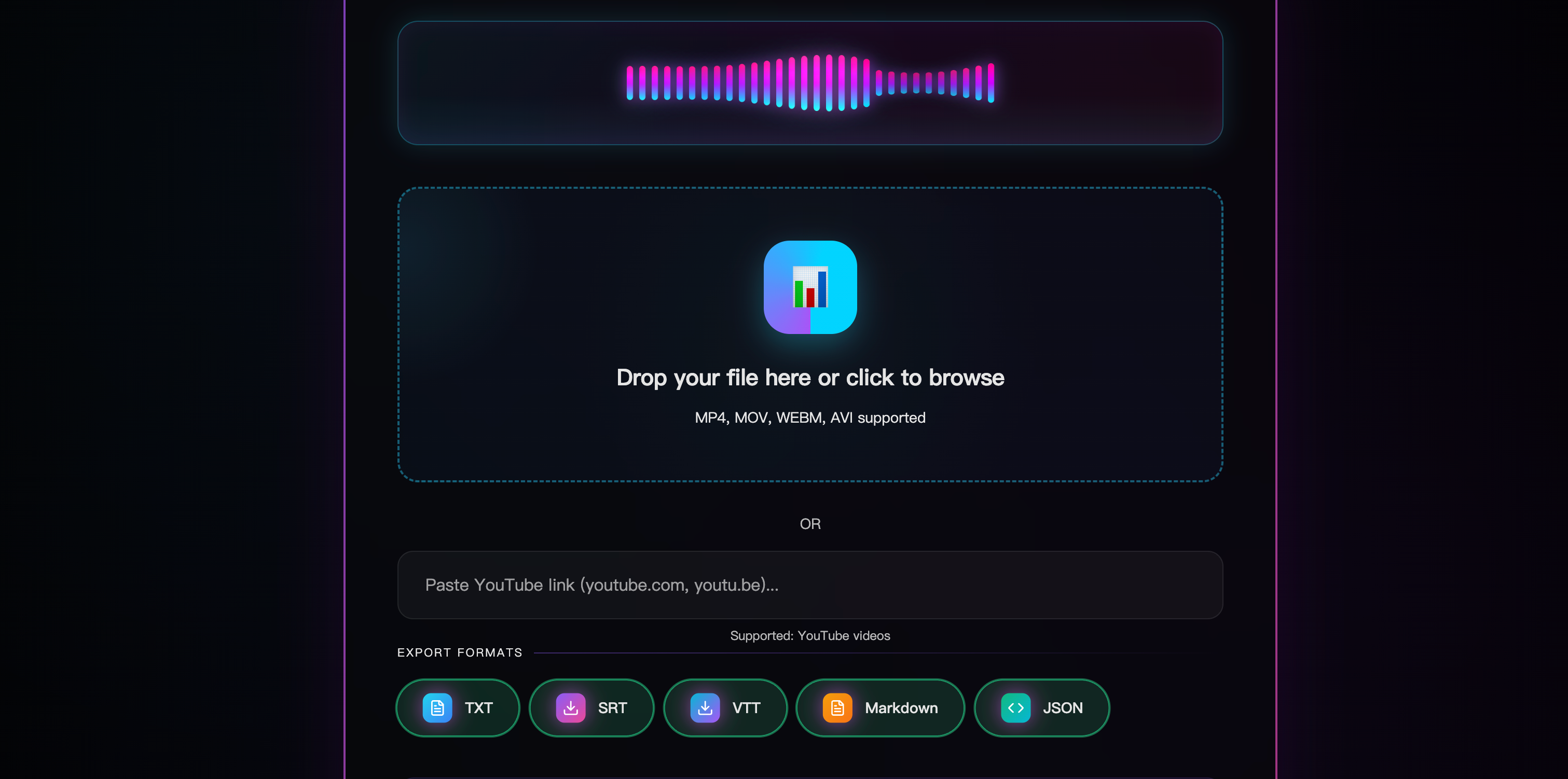
If your typical workflow is: paste a YouTube link → get transcript → export, Harku is designed for that.
Why it's great
- Simple workflow for YouTube-to-text
- Clean exports: TXT / SRT / VTT
- Practical features: timestamps, optional speaker labels
- Useful for repurposing: blogs, show notes, quotes, subtitles
Best for
- Creators repurposing YouTube into blogs/newsletters
- Editors who need SRT quickly
- Podcasters turning episodes into show notes
How to use (fast)
- Paste a YouTube link
- Choose language (or auto-detect)
- Export TXT/SRT/VTT
Best free YouTube transcript generator: YouTube's built-in transcript
Sometimes the easiest option is the built-in YouTube transcript (when captions exist).
Pros
- Free, no extra tool
- Good enough for quick quote pulling
Cons
- Not available for every video
- Export options are limited
- Formatting may require cleanup
Best for
- Quickly copying text for research notes
- Checking if a video already has captions before using another tool
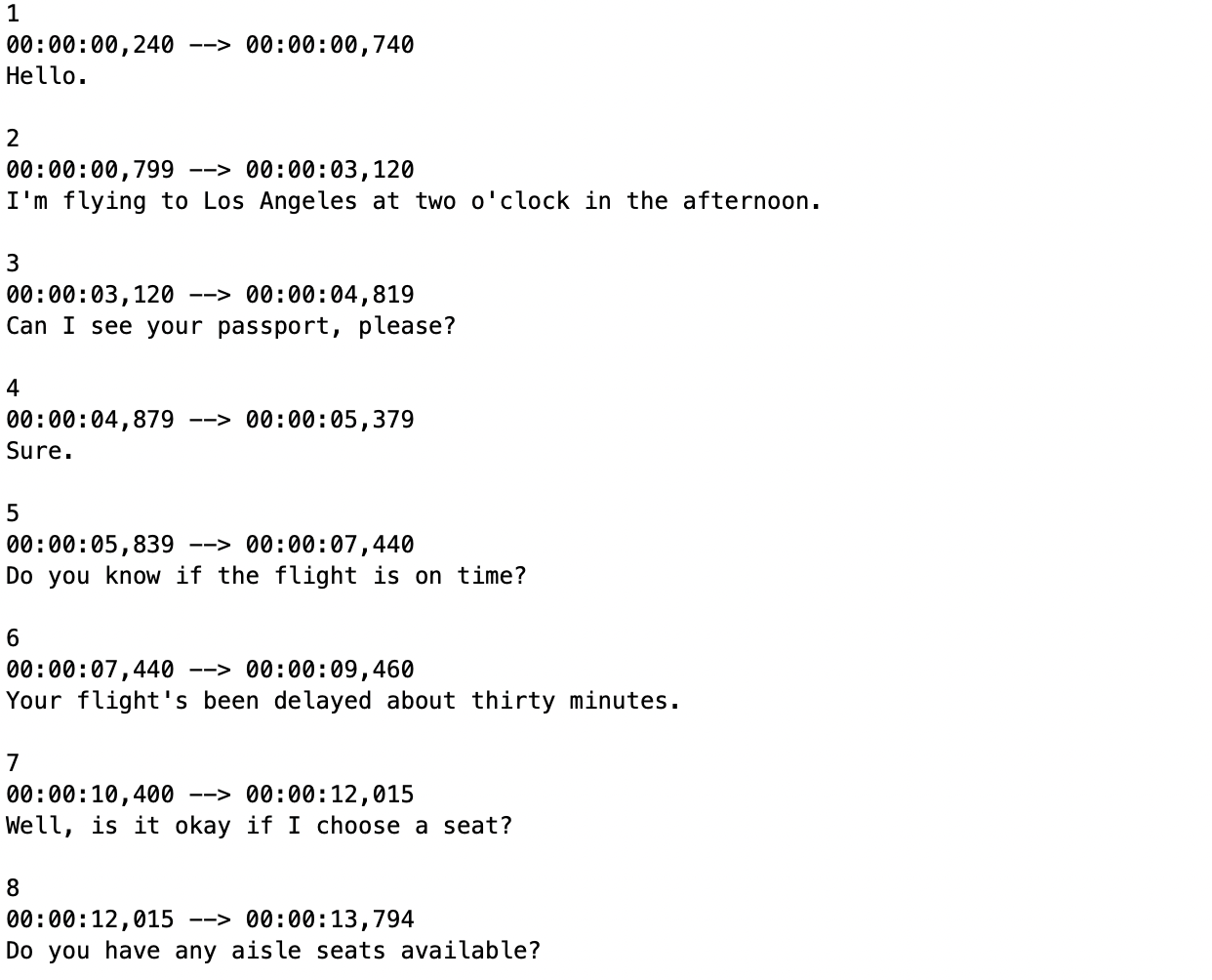
Best for subtitles and clean captions: tools that export SRT/VTT well
If subtitles are the main goal, you care about:
- clean line breaks
- two-line caption readability
- timing alignment
- easy export in SRT/VTT
Recommended workflow
- Generate transcript + timestamps
- Export SRT for editors/players; export VTT for web
- Do a quick "names + numbers" review
Caption readability rules (simple)
- Two lines max
- Break at punctuation
- Keep each caption on screen long enough to read
If you want a direct, minimal workflow here, Harku is a strong pick because it centers exports.
Best for transcript-driven video editing: Descript-style tools
Some creators want the transcript because they edit by text:
- remove filler words
- cut sections by deleting paragraphs
- create clips from highlighted lines
Pros
- Very fast editing workflow once transcript exists
- Great for repurposing clips
Cons
- Not always "paste a YouTube link and done"
- May require file import and project setup
Best for
- Creators producing short clips from long YouTube videos
- Teams doing frequent editing and re-cutting
Best for teams and meeting-note workflows: Otter-style tools
These tools shine when your workflow is "capture + organize," not "YouTube first."
Pros
- Strong organization, search, and sharing
- Great for ongoing note systems
Cons
- YouTube link workflows may vary
- Export and subtitle workflows may not be as direct as dedicated caption tools
Best for
- Teams collecting knowledge from many recordings (calls, webinars, interviews)
Best for privacy: local Whisper-based workflow (offline)
If your company policy forbids uploading content, or you need maximum control:
Pros
- Full local control
- Works offline
Cons
- Setup time
- Hardware considerations
- More manual steps for timestamps/export formatting
Best for
- Sensitive content
- Strict IT environments
A practical approach:
- Download video audio track
- Run local transcription
- Convert to SRT/VTT using a subtitle editor if needed
How to choose the right YouTube transcript generator
Use this decision path:
- I just need text quickly → Check YouTube built-in first
- I need exports (SRT/VTT/TXT) with minimal work → Harku
- I edit videos by transcript → Descript-style tools
- I need team note organization → Otter-style tools
- I need offline/privacy → Local Whisper-based workflow
Common problems (and quick fixes)
1) The transcript is inaccurate
- Use a clearer audio source when possible
- Pick the right language/locale
- Reduce noise or normalize volume
2) Timing is slightly off
- Shift subtitles by ±0.2–0.5s
- Re-check on key scenes
3) Captions are hard to read
- Use two-line rule
- Break long sentences
- Avoid huge blocks of text per caption
4) The video has no transcript on YouTube
- Use a YouTube transcript generator that creates a transcript from audio (link or file workflow)
FAQ: Best YouTube Transcript Generators in 2026
What is the best YouTube transcript generator in 2026? It depends on your goal. For paste-link → export workflows, Harku is a strong choice. For quick free copying, YouTube built-in works when available.
Can I get SRT/VTT subtitles from a YouTube transcript generator? Yes—choose a tool that exports SRT/VTT directly to save time.
Is there a free YouTube transcript generator? YouTube's built-in transcript is free when available. Many tools also offer free tiers for short usage.
How do I convert a YouTube transcript into captions? Export as SRT/VTT, then apply readability rules (two lines max, break on punctuation) and do a quick review.
Can I translate a YouTube transcript? Yes—export TXT/SRT, translate the text, and keep the timing for subtitles.
Conclusion: pick a tool that matches your workflow
The best YouTube transcript generators in 2026 are the ones that fit your actual goal: captions, content reuse, editing, team knowledge, or privacy. If you want the simplest path from YouTube link to clean export files, start with Harku.
Paste a YouTube link · Export SRT/VTT/TXT · Try Harku free (no signup)
Turn the YouTube video into editable text
Paste a video URL or video ID to generate a timestamped transcript and export TXT, SRT, or VTT.
Open the YouTube transcript generator